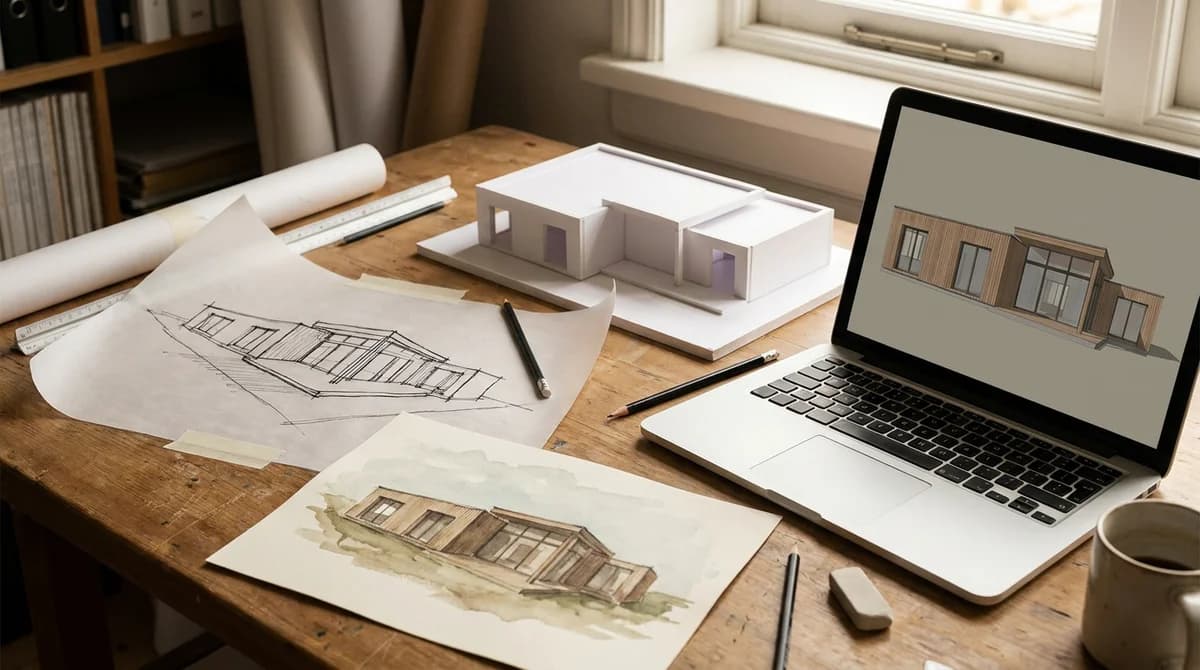
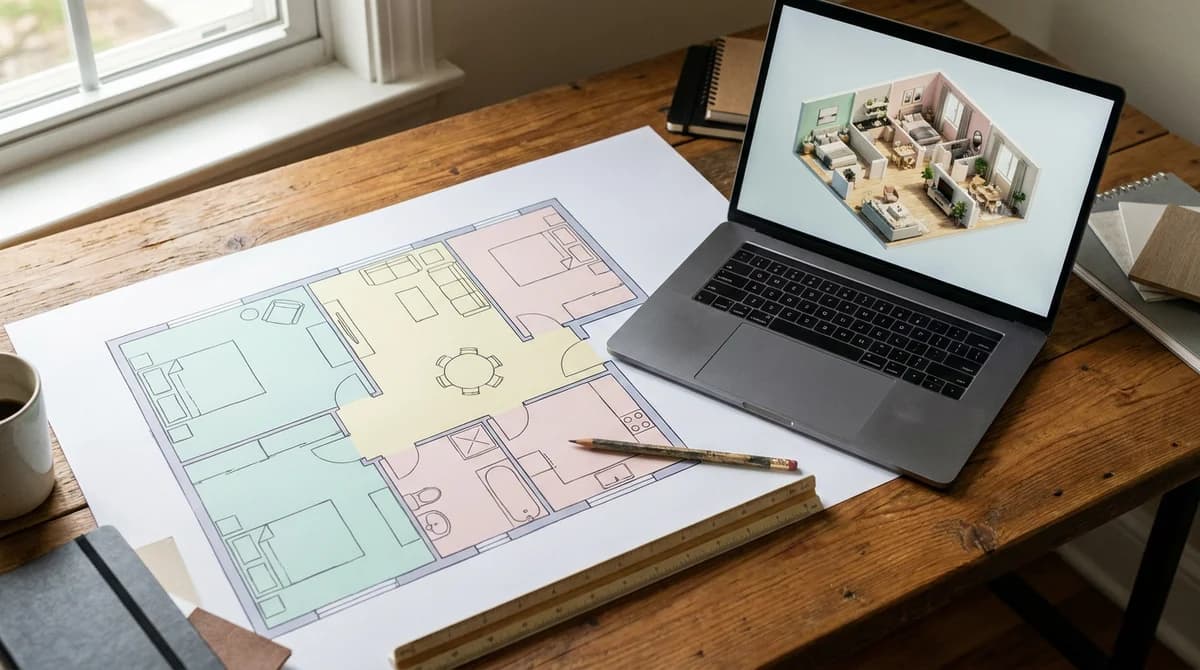
How to Render in SketchUp: 5 Ways (Plugins, Real-Time, AI)
Oct 13, 2026 · 12 min read
How to render in SketchUp, five ways: V-Ray, Enscape, Twinmotion, built-in AI, and a no-plugin route that turns an exported view into a render in 60 seconds.
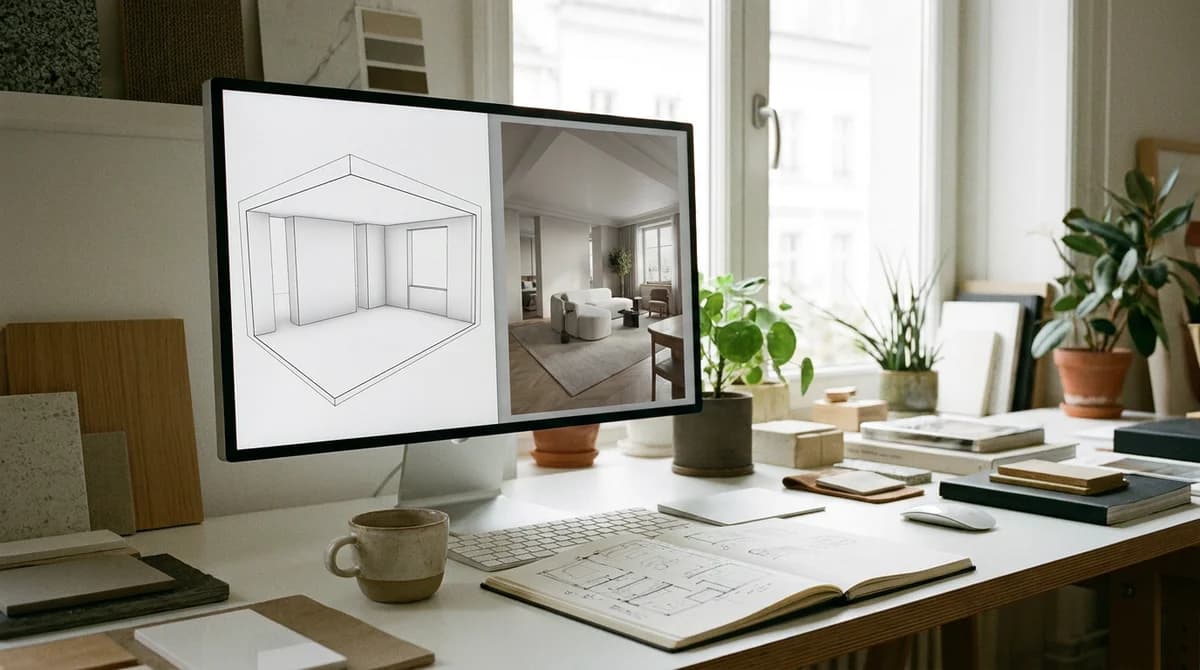
How to render in SketchUp comes down to five real options: the V-Ray plugin for maximum control, Enscape or Twinmotion for real-time walkthroughs, the built-in SketchUp Diffusion AI, or exporting a viewport image and rendering it with an AI tool like RoomLift, which needs no plugin and no GPU. Each method below has numbered steps.
What Do You Need Before You Render in SketchUp?
Most bad renders are decided before the render starts. An engine can only light what you modeled and texture what you assigned, so get four things in place first:
- A clean model: purge unused components, fix reversed faces (blue back faces render dull or black), hide guides and section planes.
- Materials applied in SketchUp, at least as placeholders.
- A saved Scene with the camera at eye level.
- A geolocation and a shadow time, so the sun position is a decision rather than a default.
Your plan matters too. Trimble lists Go at $10.75, Pro at $33.25 and Studio at $68.25 per user per month billed annually, and only Studio bundles V-Ray. Methods 1 to 3 need the desktop app (Pro or Studio); method 4 works on all three plans; method 5 works with any plan because it only needs an exported image.
Method 1: How Do You Render in SketchUp With V-Ray?
V-Ray for SketchUp is the traditional choice: a CPU and GPU ray tracer from Chaos with full control of lights, cameras and materials, plus the Chaos Cosmos asset library. Chaos sells it as a paid subscription (Solo, Premium and Collection) with a 30-day trial, and SketchUp Studio bundles it.
- Install V-Ray from your Chaos account and restart SketchUp. The V-Ray toolbar and Asset Editor appear.
- In the Asset Editor, replace flat SketchUp colors with V-Ray materials or drag them in from Chaos Cosmos.
- Enable the V-Ray Sun and Sky, which follows SketchUp's shadow settings, then add a Rectangle Light in the windows for interiors.
- Save a Scene at eye level and set exposure and white balance in the V-Ray camera settings.
- Click Render Interactive to preview while you tweak materials and lights.
- Set the output size, switch off interactive mode and click Render, then save from the V-Ray Frame Buffer.
V-Ray is the slowest route here and the most controllable: in our interior design rendering software comparison, a V-Ray scene runs minutes to hours depending on complexity and hardware. In return you get the most realistic image on this list.
Method 2: How Do You Render in SketchUp With Enscape?
Enscape is a real-time plugin: press one button, a second window opens, and you walk through the model while the render updates live as you edit. It's the fastest way to a convincing SketchUp render without learning a render engine. Chaos sells it as a paid subscription (Solo, Premium and Collection) with a 14-day money-back guarantee. It plugs into SketchUp, Revit, Rhino, Archicad and Vectorworks.
- Install Enscape through the Chaos installer. A toolbar appears in SketchUp.
- Assign SketchUp materials first. Enscape reads them by name and upgrades common ones (grass, water, glass) automatically.
- Click Start Enscape. The render window opens and mirrors your SketchUp camera.
- Place people, plants and furniture from the Enscape Asset Library.
- In Visual Settings, choose a rendering style, set the time of day and adjust exposure.
- Click Screenshot for a still, or use the Video Editor to record a keyframed path; set the resolution under Capture first.
The trade: you need a discrete GPU, and the look is good real-time rather than ray-traced polish.
Method 3: How Do You Render a SketchUp Model in Twinmotion?
Twinmotion is Epic Games' real-time visualizer built on Unreal Engine. It's a separate application, so you send the model across with the free Datasmith Exporter and keep it in sync. Licensing is the standout: per IMAGINiT's summary of Epic's terms, Twinmotion is free for companies under $1 million in annual gross revenue and for students, educators and hobbyists. Above that, a seat is $445 per year and adds Twinmotion Cloud sharing.
- Install the Datasmith Exporter for Twinmotion and Unreal Engine from the Extension Warehouse. It's free and supports current and recent SketchUp Pro releases.
- Prepare the model: purge, group loose geometry, and rename tags ("Exterior Vegetation", not "Tag37") so you can toggle them in Twinmotion.
- In Twinmotion, start a Direct Link connection (File > Direct Link > Connect in current builds).
- In SketchUp, click Synchronize with Direct Link on the Datasmith toolbar. Geometry arrives with placeholder materials. Toggle Direct Link Auto Sync to push every edit automatically.
- Remap the key materials in Twinmotion (facade, roof, glass, floor), then add sun, vegetation and people. Materials survive later syncs.
- Export a still, panorama or video from the Export tab. If Direct Link chokes on heavy 3D Warehouse content, use Export to Datasmith File or FBX instead.
Setup takes longer than Enscape, but a small practice gets stills and fly-throughs at no license cost.
Method 4: How Do You Use SketchUp Diffusion (AI Render) Inside SketchUp?
SketchUp Diffusion is Trimble's own generative AI renderer, labeled AI Render in newer builds. It takes the current viewport plus a text prompt and returns a stylized image in seconds. Trimble offers it to active Go, Pro and Studio subscribers "free for a limited time" through SketchUp Labs, with pricing changes announced at least 30 days ahead. It ships with eight presets, from Interior Photorealistic to Pencil Sketch and Physical Model.
- On desktop, install Diffusion from the Extension Warehouse. In the web and iPad apps it's a native tool.
- Frame the view. Diffusion renders the viewport as it is, so set your Scene and hide construction geometry.
- Open the Diffusion panel and pick a preset, for example Interior Photorealistic.
- Write a short prompt for materials and mood ("oak floor, linen bedding, soft morning light") and a negative prompt for anything you don't want.
- Set the sliders: "respect model geometry" keeps the AI close to your model, "prompt influence" lets the text push harder.
- Generate, save the best variation, and re-run with the Auto preset plus a follow-up prompt to refine.
The limit is precision: doors move, windows multiply and specified products don't survive. Use it to explore direction, then switch to a plugin when geometry has to be exact.
Method 5: How Do You Get an AI Render From SketchUp Without a Plugin?
You don't need a plugin, a GPU or a Studio license to get a photoreal image out of SketchUp. Any exported view is an image, and RoomLift renders images: a 2D export goes in, and a rendered version of that exact room comes out in about 60 seconds at up to 4K, for $1 to $5 per image instead of the $200 to $500 a traditional render costs (RoomLift).
The caveat: RoomLift does not open .skp files. It takes photos, screenshots and exported views (JPG, PNG), never model files, and the results are marketing visuals, not planning or construction documents.
- Set up the view: Scene saved, camera at eye level, a shaded style with edges on, flat materials applied so the AI can tell floor from wall.
- Export it: File > Export > 2D Graphic, PNG, 1920 pixels wide or larger. A screenshot works too; crop the toolbars away.
- Sign in to RoomLift (5 free renders on signup), open Photo Enhance, choose Drawing to Render and upload the PNG.
- Pick a style preset or paste a materials note ("white oak floor, oatmeal linen bedding, plaster walls, morning light from the left"). Modern and Scandinavian are safe defaults: 31% and 29% of staging requests in the last 12 months (RoomLift platform data).
- Generate, then check the render against your export: geometry, window position and camera should match.
- Download at up to 4K, run Restyle for a second style, or send the render to Video Maker for a short clip.
Drag the slider to compare a SketchUp bedroom viewport with the RoomLift render of the same view:
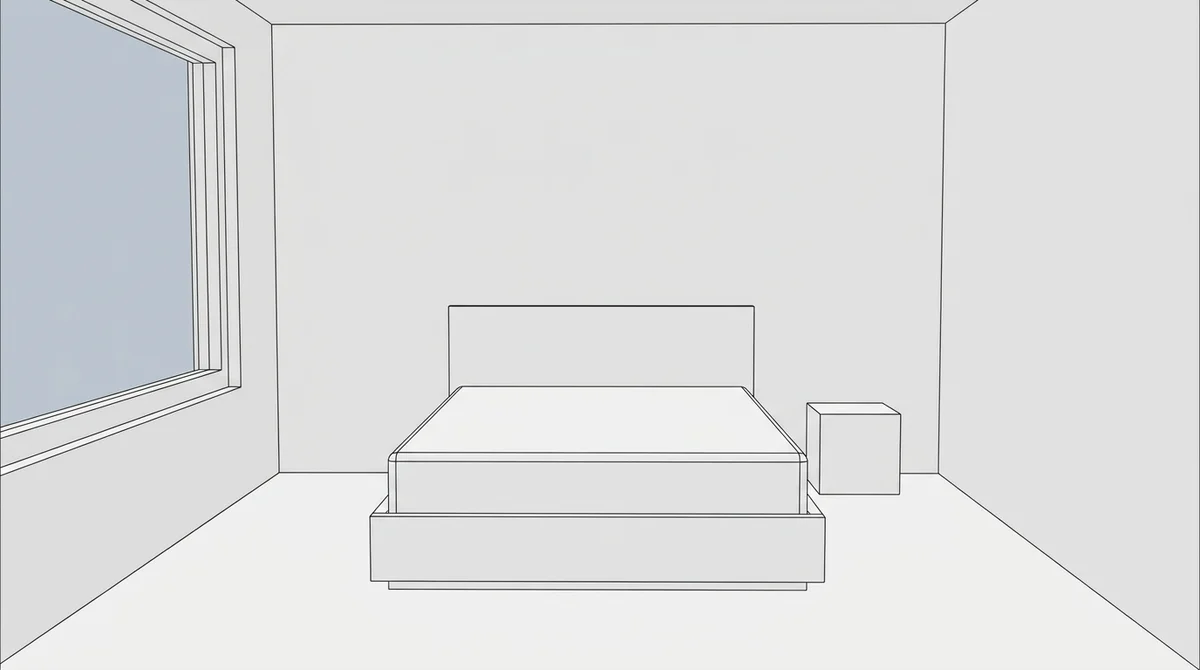
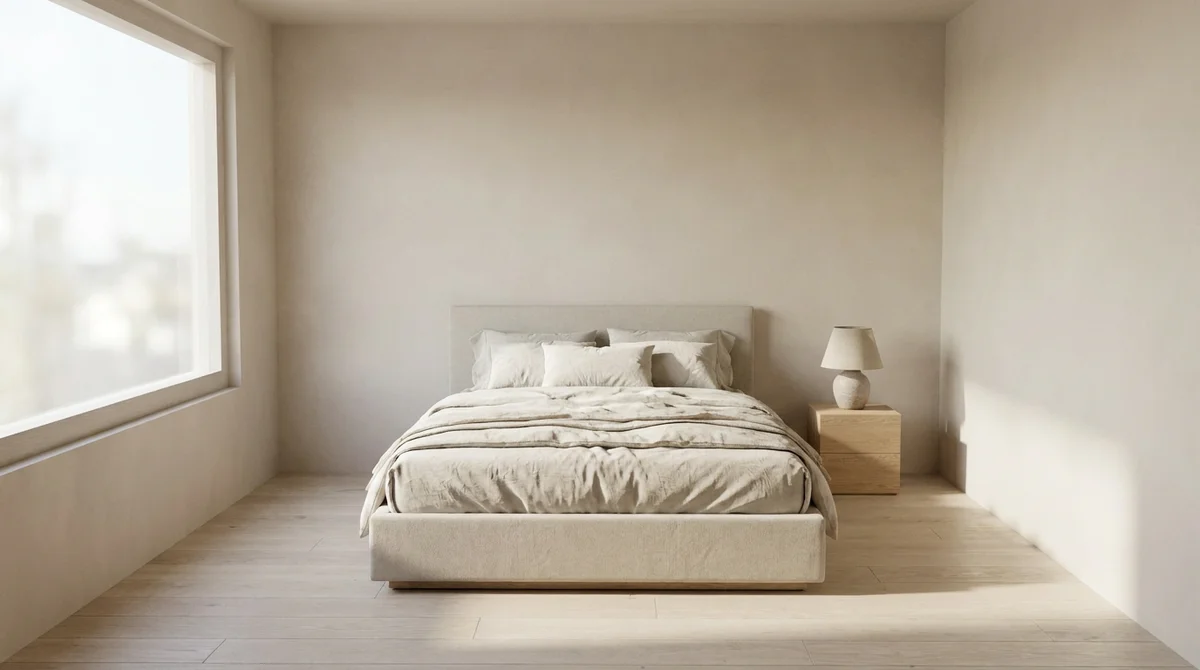
This is the route most interior designers using RoomLift take for approvals: three styles of the same room, generated during the meeting. When a client needs to count tiles, go back to V-Ray.
Which SketchUp Rendering Method Should You Pick?
Prices change, so check vendor pages before you buy.
| Method | Realism | Learning curve | Hardware | Pricing model |
|---|---|---|---|---|
| V-Ray for SketchUp | Highest, ray traced | Steep | Strong CPU or GPU | Paid subscription, 30-day trial; bundled with SketchUp Studio |
| Enscape | High, real-time | Low | Discrete GPU | Paid subscription, 14-day money-back guarantee |
| Twinmotion | High, real-time | Medium | Discrete GPU | Free under $1 million annual revenue, otherwise $445 per seat per year |
| SketchUp Diffusion (AI Render) | Stylized to photoreal; geometry can drift | Very low | None extra (cloud) | Included with Go, Pro and Studio, "free for a limited time" |
| Export an image, render with RoomLift | Photoreal, held to the exported view | Very low | None (browser) | 5 free renders on signup, then about $1 to $5 per image |
By task:
| Task | Best fit |
|---|---|
| Final marketing image for a brochure | V-Ray |
| Live walkthrough in the client meeting | Enscape or Twinmotion |
| Fly-through on a small budget | Twinmotion (free tier) |
| Quick mood test while modeling | SketchUp Diffusion |
| Three style options for a client tonight | Export an image, render with RoomLift |
| Furnishing an empty room from a photo | RoomLift Restyle |
Whatever you choose, the image is for persuasion, not documentation: 81% of buyers say staging makes it easier to picture a property as their own (NAR Profile of Home Staging), and a furnished render does the same job a white model cannot. For the wider field, including Lumion, D5 and Blender, see our architectural rendering software comparison.
Have a SketchUp view ready? Export it as a PNG, upload it to RoomLift and get a photoreal render in about 60 seconds, no plugin and no GPU. Your first 5 renders are free.
Stage your first room in 20 seconds. No design skills needed.
Setup Tips That Improve Every SketchUp Render
Four habits improve all five methods, because they fix the input rather than the engine.
Scene setup. Purge the model, fix reversed faces, and put entourage (people, plants, cars) on its own tag so you can switch it off for a clean export.
Camera height. Shoot from eye level, around 1.5 to 1.6 meters (about 5 feet) for interiors, with two-point perspective so verticals stay vertical. Widen the field of view a little for small rooms, but stop before the corners stretch.
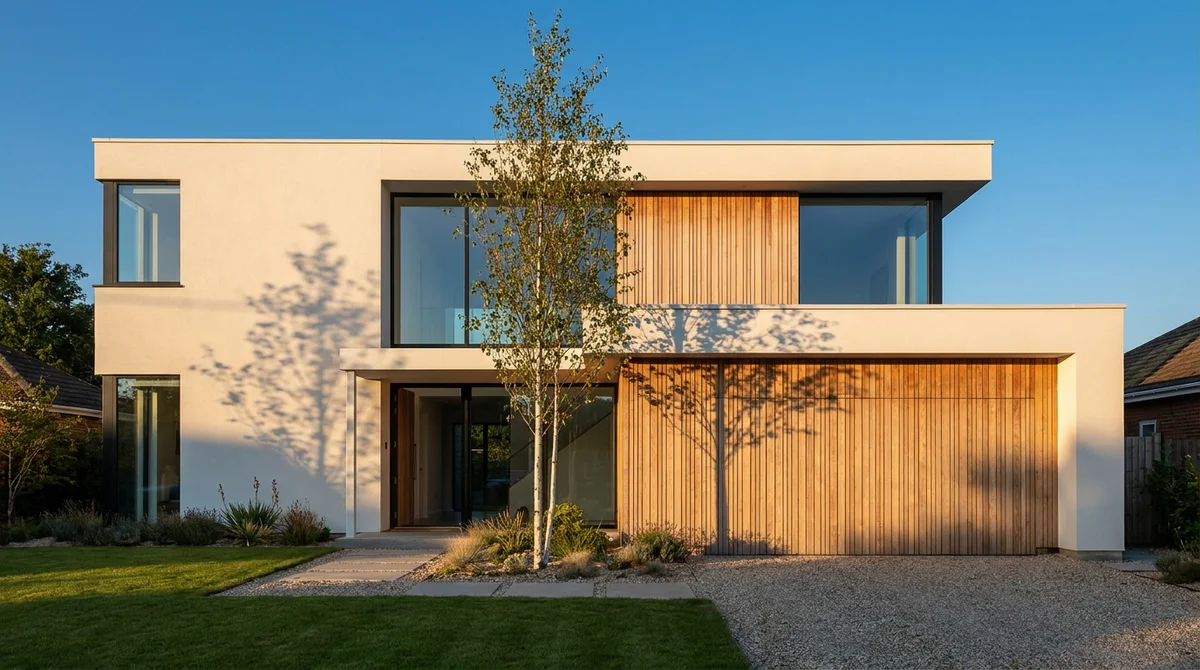
Sun position. Geolocate the model, then use the Shadows panel to set a date and time where light rakes across the facade at a low angle. Low, warm light is what people ask for: golden hour and virtual twilight each account for 13% of photo-edit preset demand on RoomLift (RoomLift platform data).
Materials before render. The engine can only map what you assigned. Scale textures correctly (a floorboard 15 centimeters wide, not 1.5 meters) and name them clearly so Enscape and Twinmotion can match them; for the AI routes, flat placeholder colors are enough.
Frequently Asked Questions
Can you render in SketchUp without a plugin?
Yes. SketchUp Diffusion is included with current Go, Pro and Studio subscriptions and is a native tool in the web and iPad apps. You can also export any view as a PNG (File > Export > 2D Graphic) and upload it to RoomLift, which renders the image with no plugin and no GPU. RoomLift takes images only, not .skp files.
Is V-Ray or Enscape better for SketchUp?
V-Ray is better for final, ray-traced images where you control every light and material, and it comes bundled with SketchUp Studio. Enscape is better for speed: it renders in real time and lets you walk clients through the model live. Both are paid Chaos subscriptions; V-Ray offers a 30-day trial and Enscape a 14-day money-back guarantee.
Is Twinmotion free to use with SketchUp?
Per IMAGINiT's summary of Epic's licensing, Twinmotion is free for companies with under $1 million in annual gross revenue, and for students, educators and hobbyists. Above that threshold a seat costs $445 per year and adds Twinmotion Cloud sharing. The Datasmith Exporter that links SketchUp Pro to Twinmotion is a free extension that supports current and recent SketchUp Pro releases.
How long does it take to render in SketchUp?
A V-Ray interior can take anywhere from minutes to hours per scene depending on complexity and hardware. Enscape and Twinmotion render in real time, so a still takes seconds. SketchUp Diffusion returns images in seconds, and RoomLift renders an exported view in about 60 seconds. In every method, most of the time goes into scene setup, not the render.
Can RoomLift open my SketchUp file?
No. RoomLift renders images, not model files: it accepts photos, screenshots and exported views such as JPG and PNG, and does not read .skp, .dwg, .rvt or PDF files. Export a 2D graphic from SketchUp, upload it, and RoomLift returns a photoreal render of that view. The output is a marketing visual, not a planning or construction document.
Sources & References
- Trimble SketchUp. Plans and Pricing. SketchUp.
- Trimble SketchUp (2023). SketchUp x Generative AI: realize your vision faster with SketchUp Diffusion. Trimble Resource Center.
- SketchUp Help Center. Preset Prompts (AI Render). SketchUp.
- Chaos. V-Ray for SketchUp. Chaos.
- Chaos. Enscape: Buy Online. Chaos.
- Epic Games. Datasmith Exporter Plugins Overview. Twinmotion Documentation.
- IMAGINiT Technologies (2024). Update on Twinmotion Licensing from Epic Games. IMAGINiT Blog.
- Just Necessary (2026). SketchUp to Twinmotion 2026: The Datasmith Workflow Guide. Substack.
- National Association of Realtors (2024). Profile of Home Staging. NAR Research Reports.
Ready to transform your listings?
Stage your first room in 20 seconds. No design skills needed.