Architectural Rendering Styles: From Massing Model to Photoreal
Oct 10, 2026 · 12 min read
Six architectural rendering styles compared, from massing model to photoreal: what each says, when to use it, cost and time bands, tools, and the AI shortcut.
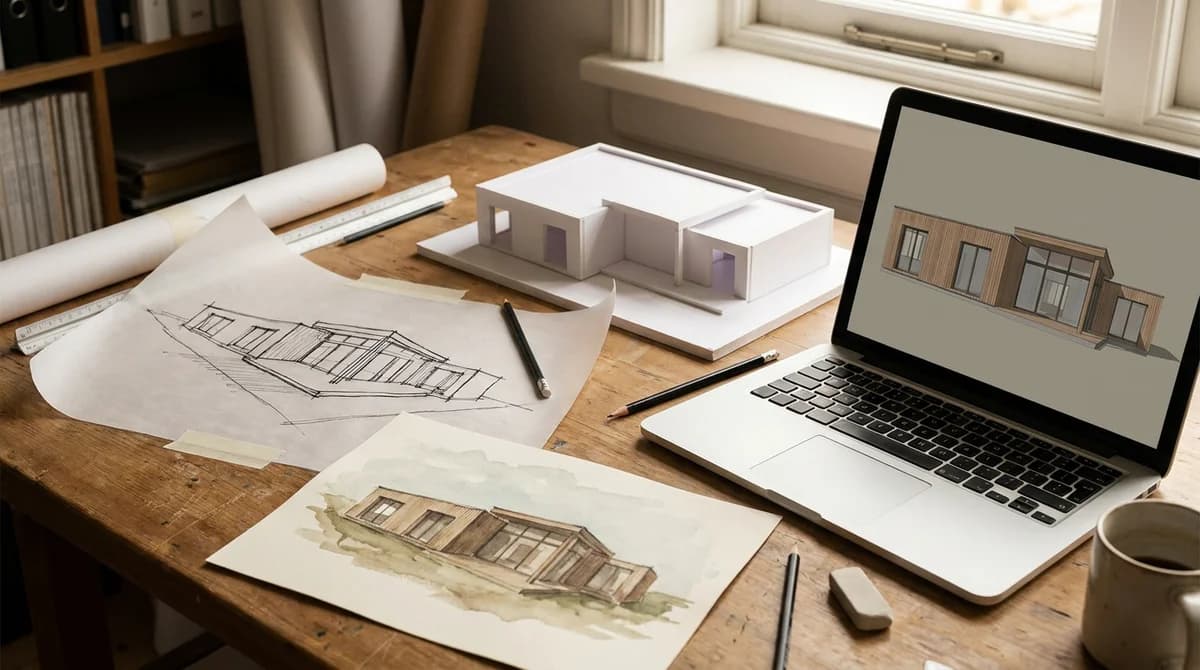
Architectural rendering styles run from the plain white massing model to the photoreal image, with line drawings, watercolor, flat-color collage and mixed media in between. Each one communicates a different level of certainty. Massing says "this is the idea". Photoreal says "this is what you will get". This guide shows all six on the same house.
What are architectural rendering styles?
An architectural rendering style is the visual language an image uses to present a building that does not exist yet. It sets how much the viewer is asked to believe, from reacting to pure form to accepting every material as a promise.
Style tracks project stage. The RIBA Plan of Work 2020 has 8 stages, from Stage 0 Strategic Definition to Stage 7 Use, according to Designing Buildings Wiki. Rendering tightens as the stages advance: loose at Stage 2 Concept Design, photoreal by the time a scheme is sold or submitted.
The six types of architectural renderings covered here are white massing model, line drawing and sketch, watercolor and illustrative, stylized non-photoreal, photoreal, and mixed media. Every image below shows the same small timber house from the same camera position; only the style changes. For how these images get made, see what architectural visualization is.
White massing model: what does it say?
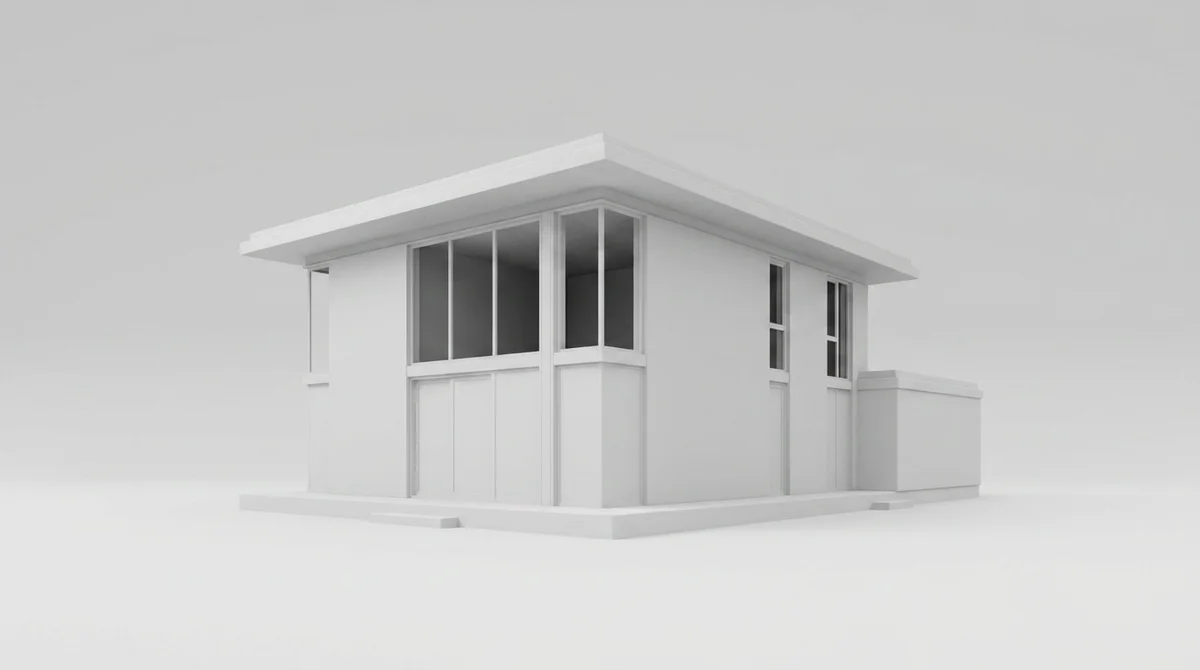
What it communicates. Volume, proportion, shadow and how the building sits on its site. Nothing else. The missing materials are the point: they stop the conversation drifting to brick color before the form is agreed.
When to use it. Concept design (RIBA Stage 2), first client meetings, daylight studies, and early talks with planners about height and bulk.
Cost and time band. Studio price guides (Maverick Frame, RealSpace 3D, NoTriangle Studio) do not price a massing study separately; it is a by-product of the model, minutes to an hour once the geometry exists. The real cost is software: SketchUp Go is $10.75 per month billed annually, according to Trimble's pricing page.
Line drawing and sketch: when should you use it?
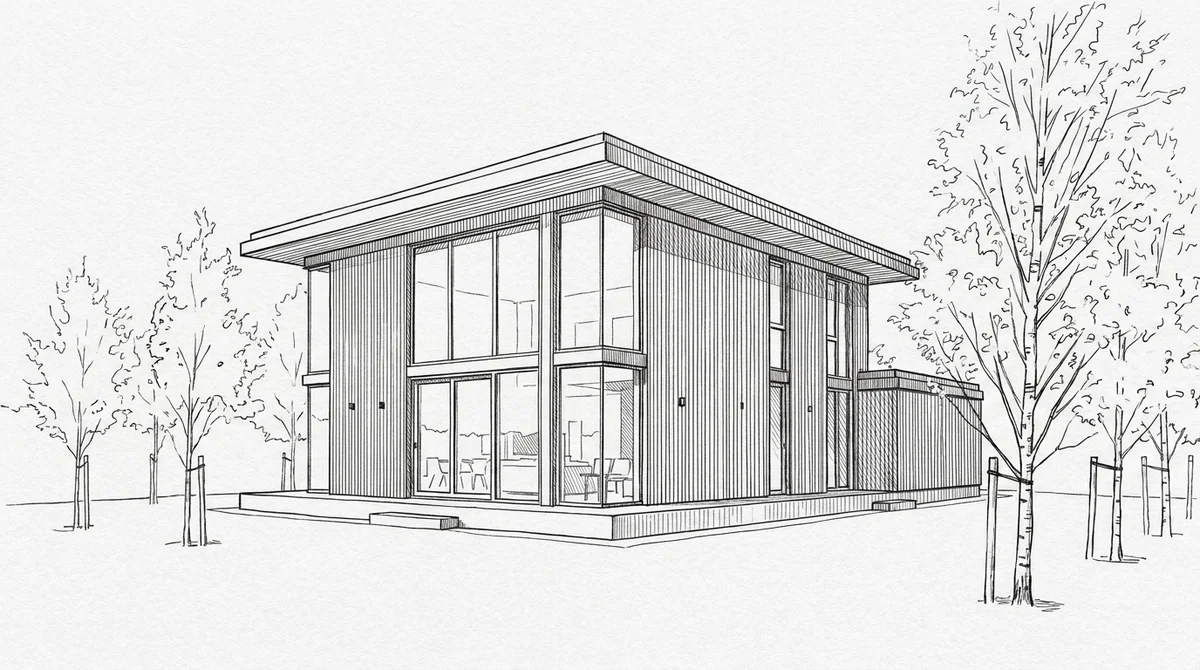
What it communicates. Intent and authorship. A line drawing shows the designer's hand and invites people to draw on top of it. It says the scheme is a proposal, not a product.
When to use it. Concept work, design reviews and context drawings in planning statements, where photoreal would overstate how resolved the design is, and walking a client through a layout before finishes are chosen.
Cost and time band. Vox Illustration prices a basic exterior sketch in simple linework or flat color at $150 to $500, the cheapest commissioned style. In-house, a designer produces a perspective sketch in hours.
Watercolor and illustrative: what does it communicate?
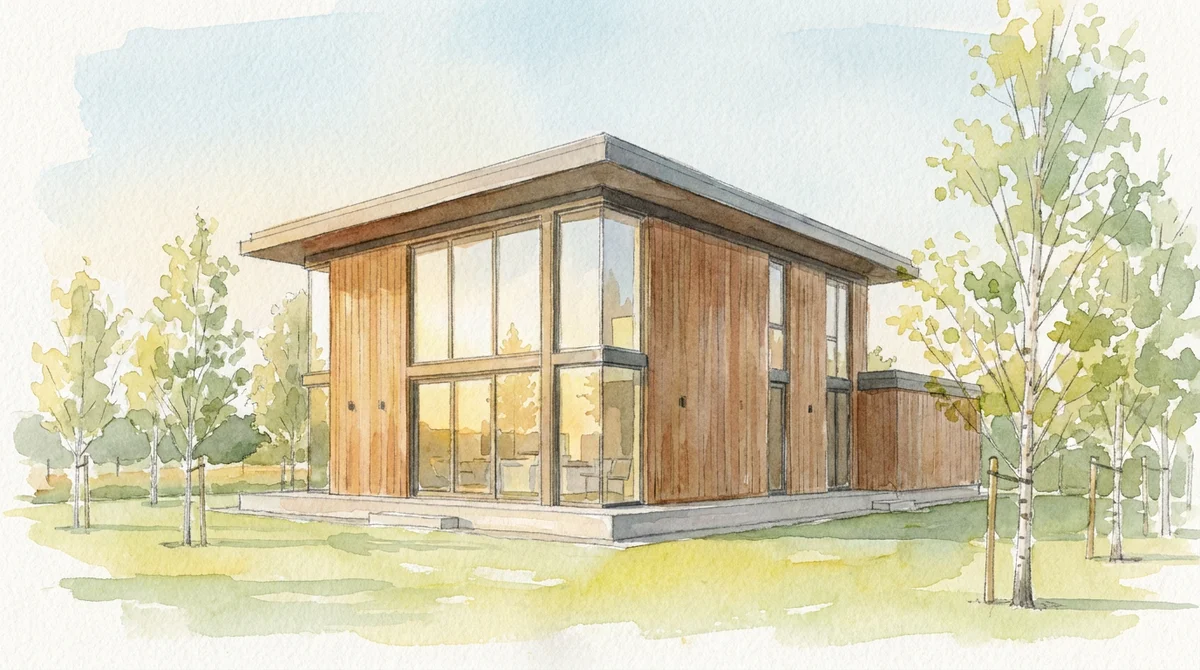
What it communicates. Warmth, atmosphere and a story about living in the place. Watercolor is forgiving of unresolved detail: soft edges let the viewer fill in what is not yet decided.
When to use it. Concept and planning, especially in conservation areas where photoreal can look aggressive, plus consultation boards and crafted high-end residential marketing.
Cost and time band. Tallbox Design says a traditional watercolor artist delivers a draft in 2 to 3 days, a digital watercolor over a 3D model takes 5 to 10 days, and the hand-painted version is 2 to 3 times cheaper. Vox Illustration prices a stylized digital 2D illustration at $500 to $1,500.
Stylized non-photoreal (flat color, collage): when is it the right choice?
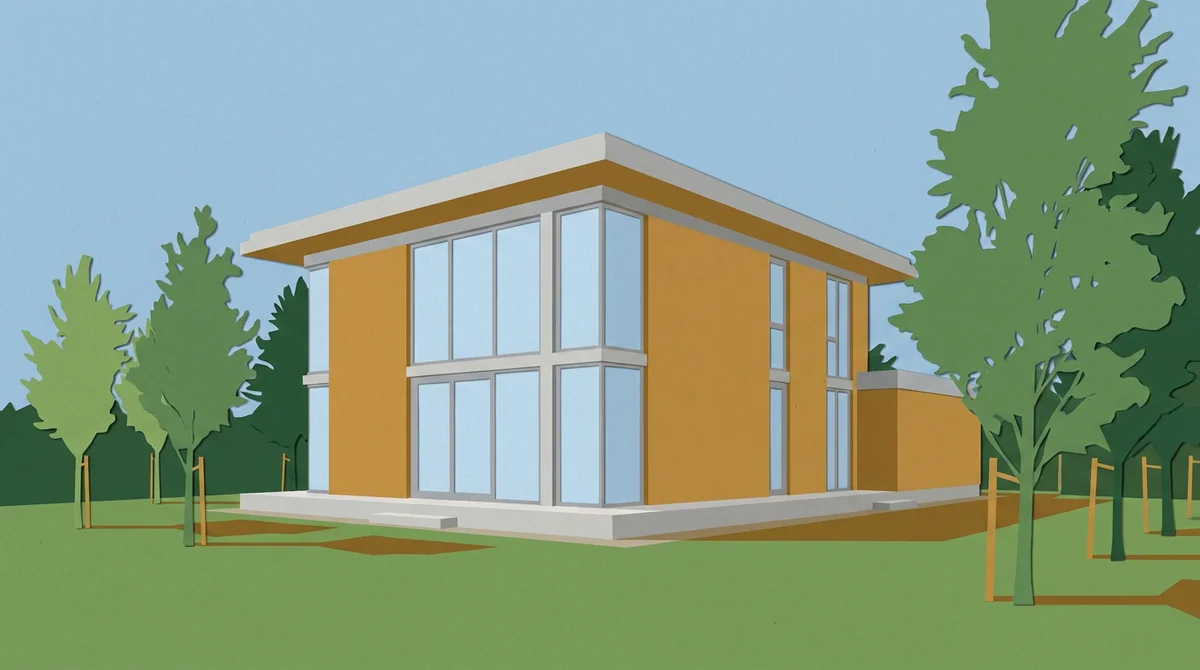
What it communicates. A design attitude. Flat color and collage reduce a building to composition, rhythm and palette. It reads as confident and graphic, and sidesteps arguments about which timber stain was specified.
When to use it. Competition boards, concept presentations, and design-led marketing that wants one recognizable look across every image. It also suits diagrams that explain a scheme's logic.
Cost and time band. Vox Illustration prices a digital 2D illustration with moderate detail at $500 to $1,500, most projects taking 3 to 10 business days and rush delivery adding 25 to 50%. In-house, a designer with a model produces a flat-color view in hours.
Photoreal rendering: what does it cost and when do you need it?
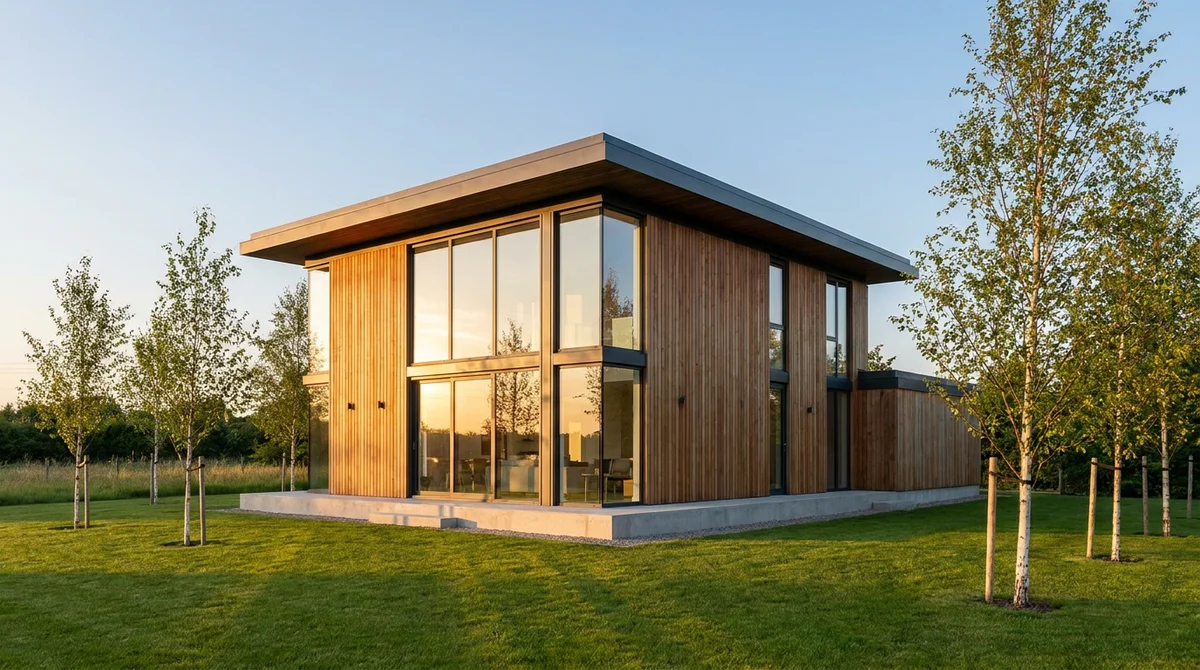
What it communicates. Certainty. A photoreal render says the materials, light and finish are decided. That confidence sells homes, and makes it risky before the design is resolved.
When to use it. Planning submissions judged on scale and materials, off-plan sales, investor decks, listings and portfolio hero shots. The audience is online: 97% of home buyers search for properties online, according to the National Association of Realtors, and listings with high-quality photos sell up to 32% faster (Zillow research).
Cost and time band. Maverick Frame's 2026 guide puts a studio photoreal exterior at $800 to $3,500 per image with a 10 to 14 business day turnaround, and an interior at $600 to $1,800 in 7 to 10 business days. Simpler single-view renders cost about $200 to $500 (RoomLift). Full breakdown in our architectural rendering cost guide.
Mixed media: when do drawn overlays on photoreal work?
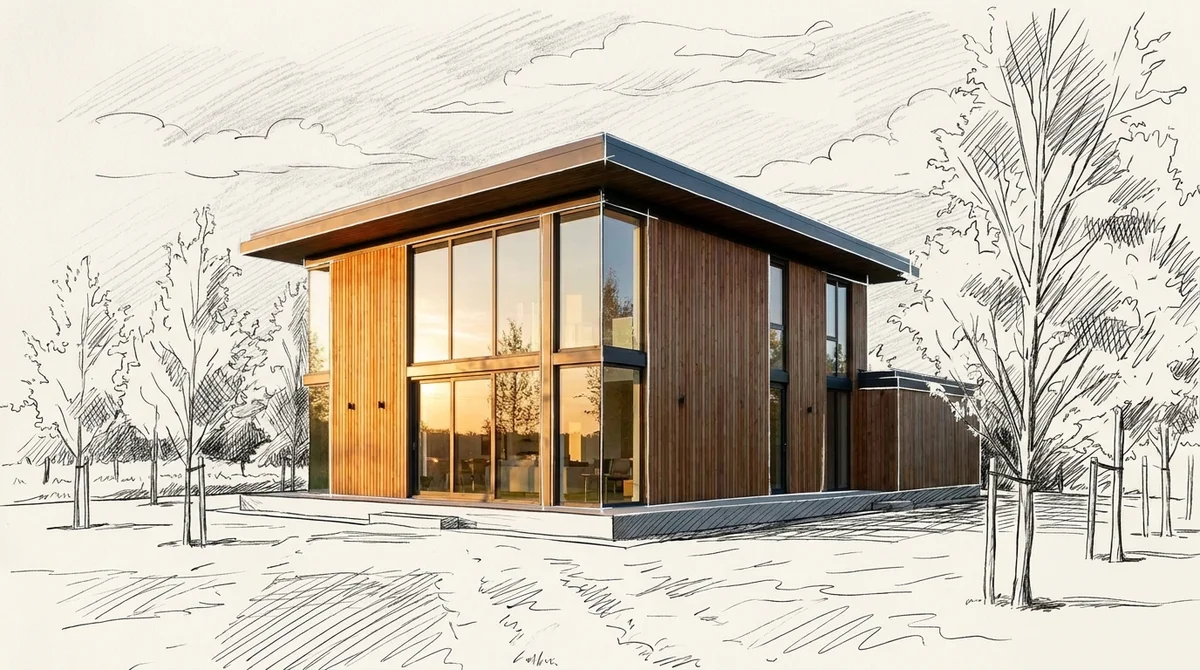
What it communicates. Real but still open. The building is decided, the context is negotiable, and the designer's hand sits visibly on top of the machine's output. It is the style that says "we made this".
When to use it. Exhibition boards, design-led marketing, awards and final competition boards, or wherever photoreal looks too finished for the project's stage.
Cost and time band. Cost sits in the photoreal band plus illustration time; Tallbox Design describes the digital version as an artist painting effects over the 3D rendering by hand. Vox Illustration prices packages of 3 or more views at $2,500 to $10,000 or more.
Which rendering style fits which purpose? Style, cost and tools at a glance
Cost bands are commissioned prices from the guides cited above; in-house work costs your time plus software. We compared 12 tools in our architectural rendering software guide.
| Style | Best for | What it says | Typical cost per image | Typical time | Tools |
|---|---|---|---|---|---|
| White massing model | Concept, planning (height and bulk) | "This is the form" | Software only (SketchUp Go $10.75/mo) | Minutes to an hour | SketchUp, Rhino, Revit, foam board |
| Line drawing and sketch | Concept, design review | "This is the idea" | $150-500 (Vox Illustration) | Hours to a few days | Pen and trace, Procreate |
| Watercolor and illustrative | Concept, consultation, heritage | "This is the feeling" | $500-1,500 digital 2D (Vox Illustration) | 2-3 days hand, 5-10 days digital (Tallbox) | Brushes, Procreate, Photoshop |
| Stylized non-photoreal | Competitions, brand marketing | "This is the attitude" | $500-1,500 (Vox Illustration) | 3-10 business days | Illustrator, Photoshop, Blender |
| Photoreal | Planning, off-plan sales, listings | "This is what you get" | $800-3,500 exterior, $600-1,800 interior (Maverick Frame) | 7-14 business days | V-Ray, Enscape, Lumion, D5 |
| Mixed media | Exhibition boards, design-led marketing | "This is real, and ours" | Photoreal band plus overlay; packages $2,500-10,000+ (Vox Illustration) | Photoreal time plus overlay | Render engine plus Photoshop |
| AI render from an image | Iterations, options, early marketing | "This is one way it could look" | About $1-5 (RoomLift) | Under 60 seconds | RoomLift Drawing to Render |
Cheap styles are cheap because they show less, not because they are worse. Expensive ones are expensive because of revisions: Vox Illustration notes standard packages include only 1 to 2 rounds before extra charges apply.
From massing model to photoreal in one step: how does the AI path work?
The traditional route from white model to photoreal is a texturing and lighting job that takes days. The AI route takes the massing model as an image: screenshot the white model, upload it to RoomLift's Drawing to Render, add a note on materials (timber cladding, dark frames, lawn), and the render comes back in under 60 seconds at about $1 to $5 per image, up to 4K.
Drag the slider to compare:
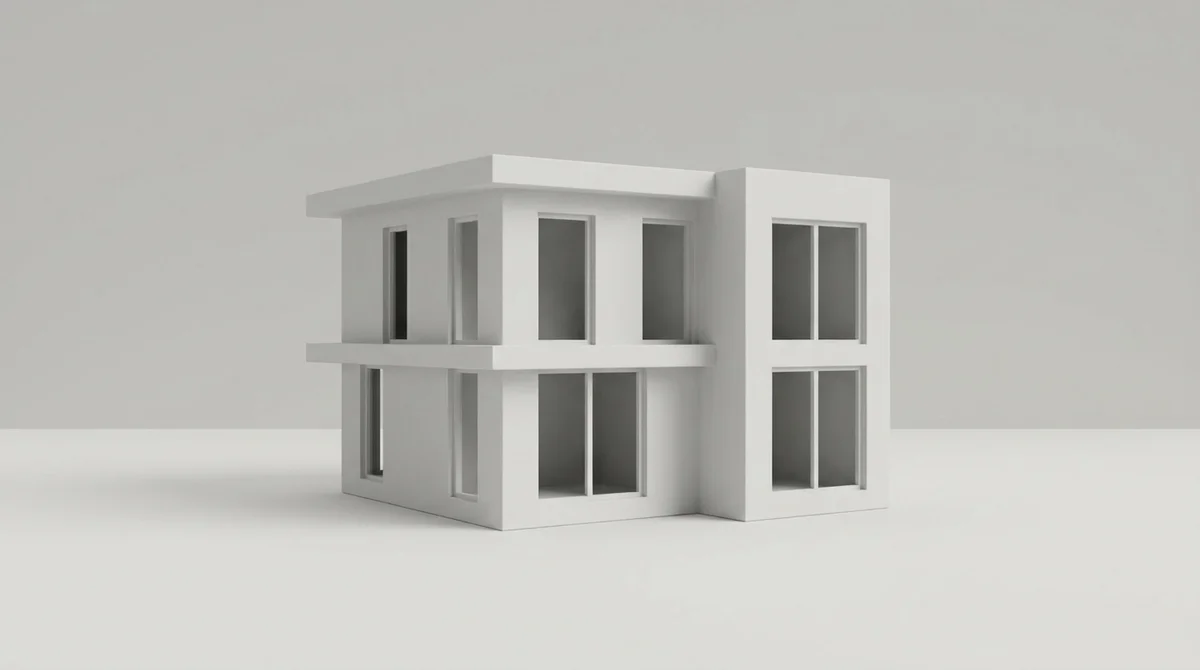
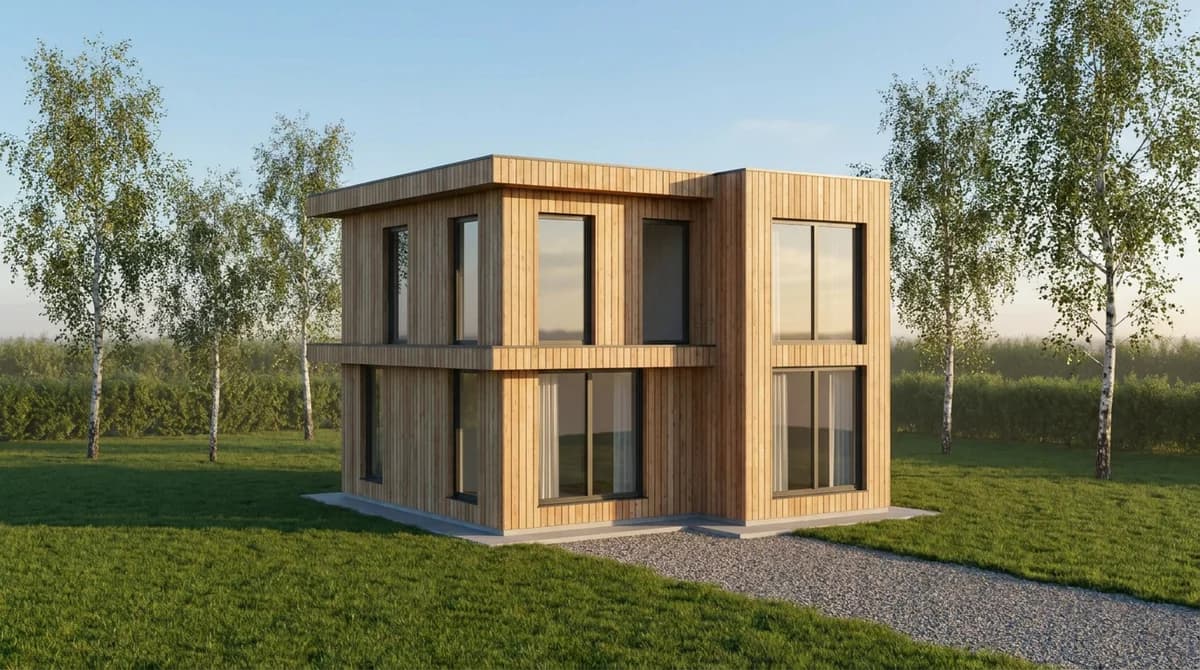
The same path works from a line drawing, a sketch, a scan or a photo of a foam-board model. Because each render is cheap, run several: three cladding options, two roof colors, a winter version, then take the winner into your render engine. Property developers on RoomLift average about 47 generations each against about 3.4 for interior designers, according to RoomLift platform data, so the tool is used for iteration, not one hero shot. Interior designers testing finish options work the same way (RoomLift for designers).
Two limits. RoomLift takes images only (screenshots, exported views, scans and photos), not .skp, .rvt, .dwg or PDF files. And a render from a drawing is a marketing and presentation visual, not a planning or construction document.
Have a massing model or a sketch on screen? Screenshot it and get a photoreal render of the same view from RoomLift in under a minute.
Stage your first room in 20 seconds. No design skills needed.
How do you choose a style for concept, planning and marketing?
Match the style to the decision the audience has to make. A client at concept stage reacts to form: show massing and line work. A planning committee judges scale and materials: show photoreal key views and massing height studies. A buyer needs to picture living there: show photoreal interiors plus a floor plan, since listings with floor plans receive 30% more engagement than those without, according to RICS.
| Purpose | Lead style | Support styles | Why |
|---|---|---|---|
| Concept (RIBA Stage 2) | Line drawing and sketch | Massing model, watercolor | Keeps options open |
| Design development | Massing model | Stylized, AI iterations | Fast form and material tests |
| Planning and consultation | Photoreal (key views) | Massing (height and bulk), watercolor boards | Judged on scale and materials |
| Competitions | Stylized or mixed media | Line drawing | Distinctive boards win |
| Off-plan sales and listings | Photoreal | Mixed media, video | Buyers need certainty |
| Portfolio and awards | Mixed media | Photoreal | Shows authorship |
A photoreal still is also the natural first frame for a listing video: 91% of businesses use video as a marketing tool, according to Wyzowl's State of Video Marketing.
Frequently Asked Questions
What are the main types of architectural renderings?
Six styles cover most work: white massing model, line drawing and sketch, watercolor and illustrative, stylized non-photoreal (flat color and collage), photoreal, and mixed media (photoreal with drawn overlays). They run from 'this is the idea' to 'this is what you will get', and most projects use two or three across the RIBA stages.
What is a massing model in architecture?
A massing model is a plain white or clay version of a building that shows volume, proportion and shadow with no materials or textures. Architects use it at concept stage to test height, bulk and how a scheme sits on its site before anyone argues about cladding. It is a by-product of the 3D model, so the cost is mostly software.
Which rendering style is best for a planning application?
Photoreal views for the key images, since committees and neighbors judge scale, materials and impact, backed by massing studies for height and bulk. Watercolor and mixed-media boards suit consultation events because they read as honest rather than salesy. Studio photoreal exteriors run $800 to $3,500 per image (Maverick Frame), so budget for the views that matter.
How much does each architectural rendering style cost?
Vox Illustration prices a basic sketch in linework or flat color at $150 to $500, a stylized digital illustration at $500 to $1,500, and a photoreal 3D exterior at $800 to $4,000 or more, with most projects taking 3 to 10 business days. An AI render from an image costs about $1 to $5 and takes under 60 seconds (RoomLift).
Can AI turn a massing model into a photoreal render?
Yes. Screenshot the white model, upload it to RoomLift's Drawing to Render with a note on materials, and you get a photoreal version of the same view in under 60 seconds for about $1 to $5 per image, up to 4K. It works from images only, not .skp, .rvt or .dwg files, and the result is a marketing visual, not a planning or construction document.
Which rendering style should architecture students learn first?
Start with massing and line drawing: they teach proportion, light and composition, and every other style builds on them. Then learn one photoreal engine, because clients and employers ask for it most, and use AI restyling to explore materials (RoomLift gives 5 free renders on signup). Add watercolor or mixed media once your line work is confident.
Sources & References
- Designing Buildings Wiki. RIBA Plan of Work. Designing Buildings.
- Vox Illustration. Guide to Architectural Illustration Pricing for Real Estate Marketing. Vox Illustration Blog.
- Maverick Frame (2026). 3D Rendering Cost in 2026. Maverick Frame Blog.
- RealSpace 3D. 3D Rendering Pricing Guide. RealSpace 3D Resources.
- NoTriangle Studio (2026). The Cost of Renderings: A Complete Guide to 3D Rendering Pricing. NoTriangle Studio Blog.
- Tallbox Design. Architectural Watercolor Rendering. Tallbox Design.
- National Association of Realtors. Real Estate in a Digital Age Report. NAR Research.
- Zillow Research. Consumer Housing Trends Report. Zillow.
- Royal Institution of Chartered Surveyors. RICS. RICS.
- Wyzowl (2026). Video Marketing Statistics. Wyzowl.
- Trimble. SketchUp plans and pricing. SketchUp.
Ready to transform your listings?
Stage your first room in 20 seconds. No design skills needed.