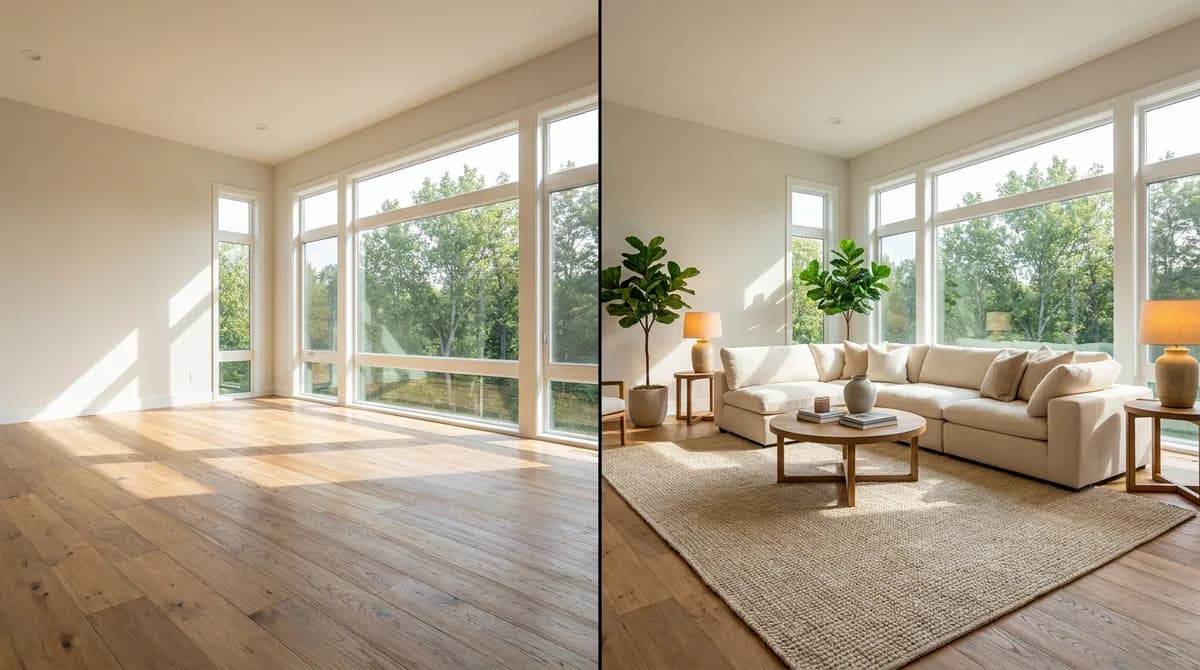
Best Virtual Staging Software and Apps in 2026: 9 Compared
· Updated · 19 min read
The best virtual staging software and apps for 2026, compared on published pricing, turnaround and extras. 9 tools for agents, photographers and brokerages.

The best virtual staging software in 2026 depends on who does the work. For self-serve AI staging, RoomLift, Virtual Staging AI and Collov AI stage a room in 10 to 60 seconds for under $3 per image. If you want an editor to do it for you, BoxBrownie and Styldod return photos in 24 to 48 hours at $16 or more per image.
This guide compares nine virtual staging apps and services for real estate agents, photographers and brokerages. Prices were checked on each vendor's own website in November 2026.
At a glance: the best virtual staging software and apps for 2026
| Tool | Best for | AI or human | Published price | Turnaround | Extras |
|---|---|---|---|---|---|
| RoomLift | Agents and media companies that want staging, photo edits and listing video in one place | AI, self-serve | $19/mo for 100 credits, or $39 one-time for 50 credits. 1 credit per standard image | Under 60 seconds | Declutter, sky replacement, twilight, video tours, 4K, "Virtually Staged" label on download |
| Virtual Staging AI | Agents who only need staging on a simple plan | AI, self-serve | $16/mo for 6 photos up to $79/mo for 150 photos | 10 seconds | Furniture removal, 50+ styles, API on Enterprise |
| Apply Design | Stagers and photographers who want to place furniture by hand | AI, one-click or drag and drop | Coins at $7 to $10 each. 1 coin (DIY) or 1.5 coins (auto) per image | 10 to 15 minutes | Item removal included, 360° images, first image free |
| BoxBrownie | Teams that want an editor to do everything | Human editors | €30 per image as shown to us (prices display in local currency), no subscription | Under 48 hours | Item removal €5 to €10, day to dusk €5, image enhancement €2, changes included for 2 months |
| Collov AI | High-volume agents who want the lowest listed cost per photo | AI, self-serve | $19/mo for 60 photo credits up to $127/mo for 526 | 10 seconds | Staging disclaimer, furniture removal; twilight and video tours on higher plans |
| Styldod | Brokerages ordering staging per listing | Done-for-you service | $16 per image for 8 or more, $23 for fewer than 8 | 24 to 48 hours | Unlimited revisions, object removal from $8, day to dusk from $4, video from $30 |
| Stuccco | Listings that need a done-for-you order | Done-for-you service | Not verified for this update | Not verified | Not verified |
| REimagineHome | Agents who also want exterior and landscaping edits | AI, self-serve | $14 to $99/mo, 30 to 900 credits. 1 credit per design | About 60 seconds | Object removal, day to dusk, sky replacement, landscaping, 5 designs on signup |
| InstantDeco | Solo agents staging a few photos a month | AI, self-serve | $14/mo for 8 photos, $49/mo for unlimited photos | About 30 seconds | 10 video credits per month, 4K downloads, photo retouching |
Sources: each vendor's pricing page, linked in Sources & References. Subscription prices are the listed monthly figures. Several vendors show a lower rate for annual billing.
What is virtual staging software?
Virtual staging software digitally adds furniture, decor and lighting to a photo of an empty or dated room, so buyers can see how the space could be used. It is also sold as AI home staging, virtual home staging software, digital home staging software, house staging software or virtual room staging. All of these names describe the same job: one listing photo in, one furnished photo out.
The reason agents pay for it is buyer behavior. In NAR's 2025 Profile of Home Staging, 83% of buyers' agents said staging made it easier for buyers to envision the property as a future home. Virtual staging delivers that effect without renting furniture.
There are two product types. Self-serve staging software uses AI and returns an image in seconds. Done-for-you services assign your photo to an editor and return it in one or two days. The AI tools in this guide all run in a web browser, so they work as virtual staging software for PC or Mac with nothing to install, and as a home staging app on a phone or tablet.
How we compared
We compared these tools on what each vendor publishes: pricing pages, feature lists and stated turnaround times, all read in November 2026. We did not run a hands-on photo test for this update, so this guide makes no claims about which tool produces the most realistic furniture. Judge that with your own photos.
Four things went into the comparison: published price (converted to a cost per image where possible), who does the work, stated turnaround, and the extras that matter for a listing, such as item removal, twilight, video and disclosure labelling.
RoomLift is our own product, so its limitations are listed alongside everyone else's.
What virtual staging software costs per listing
Cost per image only means something at your real volume. The table below prices one typical order, eight staged photos for a single listing, using each vendor's published November 2026 rates.
| Tool | What you buy | Cost for 8 staged photos |
|---|---|---|
| RoomLift | 8 credits from a $39 pack of 50 (standard quality) | About $6, with 42 credits left |
| Virtual Staging AI | Standard plan, 20 photos per month | $19, with 12 photos left |
| Collov AI | Standard plan, 60 photo credits per month | $19, with 52 credits left |
| InstantDeco | Basic plan, 8 photos per month | $14 |
| REimagineHome | Lowest plan, 30 credits per month | Plans listed from $14 per month |
| Apply Design | 12 coins for auto staging at $8 per coin | $96 |
| Styldod | 8 images at the bulk rate of $16 | $128 |
| BoxBrownie | 8 images at €30 | €240 |
The gap is wide. Eight photos cost about $6 to $19 with most of the AI tools and $96 with Apply Design, against $128 at Styldod and €240 at BoxBrownie. With a service you are paying for an editor's time and for not doing the work yourself. For a wider view of pricing across the market, see how much virtual staging costs.
Free virtual staging software: what you actually get
No tool in this guide is free for ongoing listing work. In practice, "free virtual staging software" means a trial allowance: enough to test a tool on your own photos, not enough to stage a whole listing.
| Tool | Free allowance | The catch |
|---|---|---|
| RoomLift | 5 renders when you sign up, no credit card | Images carry a watermark until your first purchase |
| REimagineHome | 5 designs when you sign up, no credit card | Less than one typical listing, which needs about 8 photos |
| Apply Design | First image free | One image |
| Collov AI | Free trial | Trial images are watermarked |
We did not check whether the other tools offer a free allowance, so look at their pricing pages.
To virtually stage a home for free:
- Sign up for one of the trials above.
- Upload your emptiest, best-lit room photo and choose a room type and style.
- Check that walls, windows and flooring stay exactly as photographed.
- Before the image goes into a listing, check it for a watermark and label it as virtually staged.
Once the trial runs out, finishing the listing costs little: eight staged photos cost about $6 to $19 with most of the AI tools, as the table above shows.
The 9 best virtual staging software tools, one by one
1. RoomLift
RoomLift is AI virtual staging software for real estate that also handles the rest of the listing media: photo cleanup, twilight edits and tour video. You upload a room photo, pick a room type and style, and get a staged image in under 60 seconds, with export up to 4K.
- Price: Starter is $19 per month for 100 credits, Basic $29 for 200, Premium $79 for 700 and Pro+ $199 for 3,000. One-time packs are $39 for 50 credits or $79 for 120. A standard image costs 1 credit, Pro quality 3 and 4K 5.
- Suits: listing agents who stage most vacant listings, and photographers or media companies that resell staging, twilight and video as add-ons.
- Extras: Photo Enhance (fix light, declutter, replace skies, twilight), Video Maker for listing tour videos, and a download option that adds a "Virtually Staged" label.
- Limitation: it is AI only. There is no human editor to send a revision note to, so an occasional render needs regenerating, which costs another credit. Higher quality tiers also use credits faster, so a 4K image costs five times a standard one.
See the virtual staging for real estate page for examples.
2. Virtual Staging AI
Virtual Staging AI is a staging-only tool with one of the simplest pricing structures here. Plans are sold by photos per month, with no cap on renders and downloads per photo.
- Price: $16 per month for 6 photos, $19 for 20, $39 for 60 and $79 for 150, per its pricing page. That works out to $0.53 to $2.67 per photo.
- Suits: agents who want virtual staging software for realtors and nothing else, on a predictable plan.
- Extras: furniture removal, 50+ design styles, a stated 10-second turnaround, API access on Enterprise.
- Limitation: its site lists no video and no twilight or exterior edits, so those need a second tool. The entry plan covers only 6 photos, less than one typical listing.
Full breakdown: RoomLift vs Virtual Staging AI.
3. Apply Design
Apply Design is the option for people who want control over each piece of furniture. It offers one-click auto staging and a drag-and-drop DIY mode for 2D and 360° images.
- Price: coins cost $10 each for up to 9, $8 for 10 to 19 and $7 for 20 or more, per its pricing page. DIY staging uses 1 coin per 2D image and auto staging 1.5 coins, so $7 to $15 per image.
- Suits: professional stagers and photographers who would rather place items by hand than accept what an AI chooses. It is the closest thing here to true DIY virtual staging software.
- Extras: item removal included, on-the-spot revisions, first image free.
- Limitation: it is the most expensive self-serve tool in this list per image, and its stated turnaround of 10 to 15 minutes is slow next to tools that render in seconds.
Full breakdown: RoomLift vs Apply Design.
4. BoxBrownie
BoxBrownie is a photo editing service, not software you operate. You submit photos with instructions and its editors return finished images, billed per image with no subscription.
- Price: €30 per staged image on the pricing page as displayed to us. BoxBrownie shows prices in the visitor's local currency, so check the figure for your region.
- Suits: brokerages and photographers who want to hand off editing entirely, and anyone who needs a person to follow specific instructions.
- Extras: item removal at €5 to €10, day to dusk at €5, image enhancement at €2, and changes at no extra cost within two months of the job.
- Limitation: staging takes up to 48 hours, and item removal is billed separately from staging. A furnished room that needs clearing and restaging costs more than the headline price.
Full breakdown: RoomLift vs BoxBrownie.
5. Collov AI
Collov AI has the lowest listed cost per photo of the subscription tools: its Standard plan is $19 per month for 60 photo credits, about $0.32 each, according to its pricing page.
- Price: Standard $19 per month (60 credits), Advanced $49 (150), Premium $79 (263), Enterprise $127 (526).
- Suits: high-volume agents and teams who mainly need straightforward staging.
- Extras: a one-click staging disclaimer, furniture removal and a stated 10-second turnaround on every plan. Day-to-dusk and other photo edits start at Advanced, and AI virtual tours at Premium.
- Limitation: the Standard plan is staging only. Twilight and photo editing need the $49 plan and video needs the $79 plan, so the low entry price does not cover a full listing workflow.
Full breakdown: RoomLift vs Collov.
6. Styldod
Styldod is a done-for-you virtual staging service priced per image, with a discount for larger orders.
- Price: $16 per image for 8 or more images and $23 per image for fewer than 8, per its virtual staging page. Rush delivery adds $6 per image for 24 hours or $12 for 12 hours.
- Suits: brokerages and agents who order per listing and want revisions handled for them.
- Extras: unlimited free revisions, object removal from $8, day to dusk from $4, single property video from $30.
- Limitation: standard delivery is 24 to 48 hours, and a small order of under 8 images pays about 44% more per image than a bulk order.
Full breakdown: RoomLift vs Styldod.
7. Stuccco
Stuccco is a US virtual staging provider that appears in most roundups of this category, so it belongs on a shortlist. Its website blocked our automated price check in November 2026, so we are not publishing a price, turnaround or feature list for it here.
- Price: not verified for this update. Check stuccco.com directly.
- Limitation: we could not confirm current pricing or turnaround, so get both in writing before you order.
Background: RoomLift vs Stuccco.
8. REimagineHome
REimagineHome is an AI design tool that covers interiors and exteriors, with listed solutions for virtual staging, object removal, day to dusk, sky replacement and landscaping.
- Price: plans range from $14 to $99 per month, per its pricing page, with 30 credits on Essential, 200 on Pro, 400 on Advanced and 900 on Agency. One design uses 1 credit. New accounts get 5 designs with no card required.
- Suits: agents who want curb appeal and landscaping edits from the same tool as interior staging.
- Extras: digital decluttering before staging, batch processing for listings on Pro and above, an average transform time of about 60 seconds.
- Limitation: the pricing page showed a price range but not a clear price for each plan when we checked, and no video feature is listed.
Full breakdown: RoomLift vs REimagineHome.
9. InstantDeco
InstantDeco is a low-cost virtual home staging app aimed at agents, with staging, renovation previews and short AI videos.
- Price: Basic is $14 per month for 8 photos and Pro is $49 per month for unlimited photos, with 30% off on annual billing, per its pricing page.
- Suits: solo agents with one or two listings a month, or anyone who wants a flat monthly price with no photo limit.
- Extras: 10 AI video credits per month, 4K downloads, photo retouching, about 30 seconds per image.
- Limitation: the Basic plan's 8 photos cover a single listing at most. The pricing page was also inconsistent when we checked: its FAQ quoted $39 per month while the plan card showed $49.
Stage your next listing in RoomLift. Try it on one of your own listing photos first.
Stage your first room in 20 seconds. No design skills needed.
Which one should you pick?
The best virtual staging app for one business is the wrong one for another. The right virtual staging app for real estate depends on your role and monthly volume more than on any single feature.
| You are | Pick | Why |
|---|---|---|
| A listing agent with 1 or 2 listings a month | RoomLift, Virtual Staging AI or InstantDeco | Entry plans at $14 to $19 per month cover 6 to 100 images, and results arrive in under a minute |
| An agent who wants staging plus twilight and a listing video | RoomLift | One credit balance covers staging, Photo Enhance and Video Maker |
| A real estate photographer or media company | RoomLift or Collov AI for volume, Apply Design for manual control | Low cost per image protects your margin on a staging add-on |
| A brokerage that wants zero software for agents | BoxBrownie or Styldod | Agents submit an order and get finished photos back in 24 to 48 hours |
| A professional stager offering virtual work | Apply Design | Drag-and-drop placement lets you design the room, not just accept a render |
| A team that needs exterior and landscaping edits | REimagineHome or RoomLift | Both list sky and twilight edits. REimagineHome adds landscaping |
Photographers weighing staging as an upsell can read should real estate photographers offer virtual staging. If you would rather compare service providers than software, our guide to the best virtual staging companies covers that side.
Why choosing virtual staging software is so difficult
Most comparison pages for staging software are written by a vendor or by an affiliate paid per signup. This page is no exception to the first part: RoomLift is ours. That is why the comparison above sticks to numbers each vendor publishes and links to every source.
Three checks cut through the marketing:
- Run your own photo through it. Check that walls, windows and flooring stay exactly as photographed.
- Price your real month. Multiply listings by staged photos per listing, then compare against the plan limits above.
- Check the disclosure workflow. Most MLSs require virtually staged photos to be labelled. Our virtual staging legal guide covers the MLS and NAR rules.
Frequently Asked Questions
What is the best virtual staging software in 2026?
It depends on how you work. For self-serve AI staging with video and 4K output, RoomLift costs from $0.19 per standard image and renders in under 60 seconds. Virtual Staging AI is the simplest staging-only subscription at $16 to $79 per month. If you want an editor to do the work, BoxBrownie and Styldod deliver in 24 to 48 hours.
What program do realtors use for virtual staging?
Realtors use two kinds of program. Self-serve AI virtual staging software such as RoomLift, Virtual Staging AI, Apply Design, Collov AI and REimagineHome stages a photo in seconds to minutes. Done-for-you services such as BoxBrownie and Styldod take an order and return edited photos in 24 to 48 hours. The two can be combined: an AI tool for most listings and a service for the occasional difficult room.
What is the best software for DIY virtual staging?
The best DIY virtual staging software is a browser-based AI tool, because there is nothing to install or learn. RoomLift, Virtual Staging AI, Collov AI, REimagineHome and InstantDeco all stage a room from one uploaded photo in under a minute. Apply Design is the pick if you want to drag and drop individual furniture pieces yourself, at 1 coin ($7 to $10) per image.
Can I do virtual staging myself?
Yes. With AI virtual staging software you upload a photo of the empty room, choose a room type and style, and download the staged image, usually in 10 to 60 seconds. No design skills are needed. You remain responsible for disclosure: label every staged image as virtually staged, and never alter structural features or hide defects.
Can ChatGPT do virtual staging?
ChatGPT can generate a furnished version of a room, but it does not reliably preserve the walls, windows and proportions of your original photo, which makes the result risky for a listing. Dedicated virtual staging software keeps the room as photographed and only adds furniture, so it is the safer choice for MLS use. We cover this in detail in ChatGPT for virtual staging.
How much do AI virtual staging apps cost?
AI virtual staging apps cost roughly $0.19 to $2.67 per image on an entry-level subscription, based on published November 2026 pricing. Virtual Staging AI is $16 per month for 6 photos, Collov AI is $19 per month for 60 photo credits, and RoomLift is $19 per month for 100 credits. Done-for-you services cost more: Styldod charges $16 to $23 per image.
How fast is AI virtual staging?
AI virtual staging takes seconds. Virtual Staging AI and Collov AI both advertise a 10-second turnaround, InstantDeco about 30 seconds, and RoomLift and REimagineHome about 60 seconds. Apply Design quotes 10 to 15 minutes per image. Done-for-you services such as BoxBrownie and Styldod deliver in 24 to 48 hours.
Are free AI virtual staging tools good enough for real estate listings?
Free tiers are useful for evaluating a tool, but they are rarely enough for a live listing. They are typically capped at a handful of images, and some add a watermark: Collov AI's trial images are watermarked, for example. On a live listing, output quality matters more than saving a few dollars.
What should I look for when choosing virtual staging software?
Check five things: whether the room itself stays unchanged (walls, windows, flooring), the real cost per image at your monthly volume, turnaround, output resolution for your MLS and print needs, and whether the tool helps with disclosure through a virtually staged label. Extras such as item removal, twilight edits and video decide between otherwise similar tools.
Sources & References
Vendor prices and features were read on each vendor's own website in November 2026.
- Virtual Staging AI. Pricing and homepage.
- Apply Design. Pricing and homepage.
- BoxBrownie. Pricing and Virtual Staging.
- Collov AI. Pricing.
- Styldod. Virtual Staging.
- REimagineHome. Pricing and Virtual Staging.
- InstantDeco. Pricing and homepage.
- Stuccco. stuccco.com. Not accessible to our check in November 2026, so no figures are quoted.
- National Association of Realtors (May 6, 2025). NAR Report Reveals Home Staging Boosts Sale Prices and Reduces Time on Market. 2025 Profile of Home Staging.
- RoomLift pricing and credit costs are RoomLift's own published figures.
Ready to transform your listings?
Stage your first room in 20 seconds. No design skills needed.