The Complete AI Real Estate Photo Editing Workflow (2026)
May 30, 2026 · 7 min read
A repeatable real estate photo editing workflow built on AI: cull, correct, declutter, sky, twilight, stage, and upscale a full listing client-ready in under an hour.

Ask most real estate photographers where their day goes and the answer is rarely the shoot. It is the edit. A morning of shooting turns into an afternoon — or an outsourced 48-hour wait — of culling, correcting, masking skies, and retouching. Editing, not shooting, is what caps how many listings you can turn around, which is why a fast real estate photo editing workflow is the highest-leverage thing you can build.
AI has not replaced the photographer. It has replaced the slow parts of the edit. The composition, the exposure, the decision about which frames tell the property's story — those are still yours. But the decluttering, the sky swaps, the twilight conversions, and the staging that used to eat hours can now run in seconds.
This is a complete, repeatable workflow that takes a full listing from camera card to client-ready in under an hour. For the broader picture of which AI services to offer and how to price them, pair this with our guide to AI tools for real estate photographers.
The Principle: Shoot Clean, Edit in a Fixed Order
Two habits make this workflow fast.
Shoot clean. Every minute you save on site multiplies in the edit. Well-exposed frames, level horizons, and tidy rooms give every downstream step more to work with. If you need a refresher on capture, our real estate photography tips covers shooting listings that need less fixing.
Edit in a fixed order. A consistent sequence means you never re-do work or fight an edit you should have done earlier. The order below is deliberate: global corrections first, then content edits, then atmosphere, then finishing.
Step 1: Cull and Select (5 minutes)
Import the shoot and pick the keepers first. A typical listing needs 25–35 final images: the hero exterior, front and rear facades, every room, key features, and outdoor spaces. Cut duplicates and weak angles now so you never spend edit time on a photo you will not use. This single discipline saves more time than any other.
Step 2: Global Correction (10 minutes, batched)
Fix the fundamentals across the whole set at once: exposure, white balance, level horizons, and lens distortion. This is standard work in Lightroom or your editor of choice, and it should be batched — correct one image, sync the settings, fine-tune outliers. Do this before any AI step, because clean input produces dramatically better AI output.
Step 3: Declutter and Remove Distractions (AI, seconds per image)
Empty rooms photograph better than cluttered ones, and so do tidied lived-in rooms. Use an AI declutter pass to remove personal items, bins, stray cables, countertop clutter, and distracting objects while keeping the architecture and built-in features intact.
In RoomLift, the Declutter edit preset does this from a single upload — it removes personal photos, clothes, dishes, toiletries, and visual noise while preserving walls, floors, windows, cabinetry, and fixtures. What used to be careful clone-stamping is now one step.
Step 4: Sky Replacement (AI, seconds per image)
A grey or blown-out sky drags down every exterior. Replace it with a clean blue sky and soft clouds so the facade and landscaping read at their best. RoomLift's Sky Replacement preset swaps only the sky region, keeping the building, shadows, and foreground exactly as shot so the result stays believable.
Step 5: Twilight / Day-to-Dusk on the Hero Shots (AI, seconds per image)
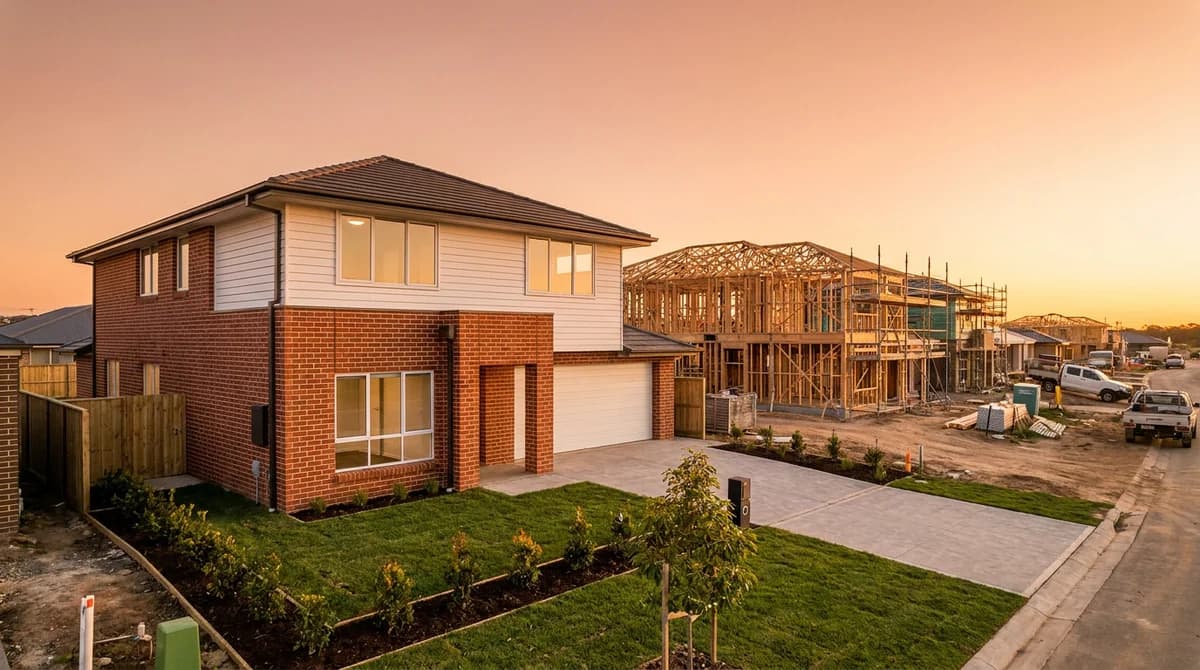
This is the highest-impact step in the workflow. Convert your hero exterior and outdoor-living shots to twilight — dusk sky, warm window glow, balanced exposure — to get the 2–3x engagement that twilight images reliably earn. Use the Twilight or Day-to-Night preset on the lead image and the key outdoor angles. You do not need to twilight everything; you need the right one or two images that earn the click. The full technique is covered in our day-to-dusk photo editing guide.
Step 6: Virtual Staging for Empty Rooms (AI, seconds per image)
Empty rooms feel small and forgettable; staged rooms help buyers picture living there. For vacant listings, virtually stage the main rooms — living room, primary bedroom, and any awkward space buyers struggle to read. RoomLift stages an empty room with furniture, decor, and styling across design directions in 10–20 seconds, with options from essentials-only to fully furnished. This is also the easiest paid add-on to offer agents.
Stage, declutter, and twilight a full listing in one tool — try RoomLift free
Stage your first room in 20 seconds. No design skills needed.
Step 7: Enhance and Finish (AI + manual, a few minutes)
A final pass for polish: an Add Realism enhancement to lift textures and lighting where a room looks flat, plus any small manual touch-ups. Then upscale to 4K so every delivered image is sharp enough for MLS, large web display, and print. Upscale at the end, never the start — you want the finishing resolution on the finished edit.
Step 8: Quality Check and Deliver (5 minutes)
Before sending, review the full set as the buyer will see it. Confirm consistency of mood across exteriors, believable window glow, clean skies, and no edit artifacts. Verify everything complies with your MLS photo requirements and disclosure rules — see our MLS photo requirements guide — then export and deliver.
The Workflow at a Glance
| Step | What it does | Tool | Time |
|---|---|---|---|
| 1. Cull & select | Pick 25–35 keepers | Your editor | 5 min |
| 2. Global correction | Exposure, white balance, horizons | Lightroom (batched) | 10 min |
| 3. Declutter | Remove clutter and personal items | AI preset | Seconds/image |
| 4. Sky replacement | Clean blue sky | AI preset | Seconds/image |
| 5. Twilight | Dusk conversion on hero shots | AI preset | Seconds/image |
| 6. Virtual staging | Furnish empty rooms | AI | Seconds/image |
| 7. Enhance & upscale | Polish + 4K | AI | A few min |
| 8. QC & deliver | Final review, compliance, export | Manual | 5 min |
Why This Changes the Business, Not Just the Day
The point of the workflow is not only speed. It is margin and turnaround.
When decluttering, twilight, and staging each cost seconds instead of a manual hour or an outsourced fee, you can offer them as paid add-ons at almost no marginal cost — and deliver same-day. Same-day turnaround wins competitive listings. Add-on services raise your revenue per shoot without adding shoots. The photographers pulling ahead in 2026 are not shooting more; they are editing smarter and selling the edit.
The Takeaway
Editing is where real estate photographers win or lose their time. A fixed workflow — shoot clean, correct globally, then let AI handle declutter, sky, twilight, staging, and upscale — takes a full listing from camera to client-ready in under an hour. Keep the judgment that makes you a photographer. Automate everything downstream of it.
Build a same-day editing workflow on your own listings — start your RoomLift free trial
Stage your first room in 20 seconds. No design skills needed.
Sources & References
- National Association of Realtors (2024). Real Estate in a Digital Age Report. NAR Research.
- PhotoUp (2024). Real Estate Photo Editing: A Complete Guide. PhotoUp Learning Center.
- National Association of Realtors (2024). Profile of Home Staging. NAR Research.
Ready to transform your listings?
Stage your first room in 20 seconds. No design skills needed.