Best Interior Design Rendering Software in 2026 (AI-Powered)
Feb 23, 2026 · 8 min read
Traditional 3D rendering costs $200–$500 per scene and takes 3 days. AI rendering costs $1–$5 and takes 20 seconds. We ranked the best interior design rendering software so you can stop paying agencies for what AI does better and faster.
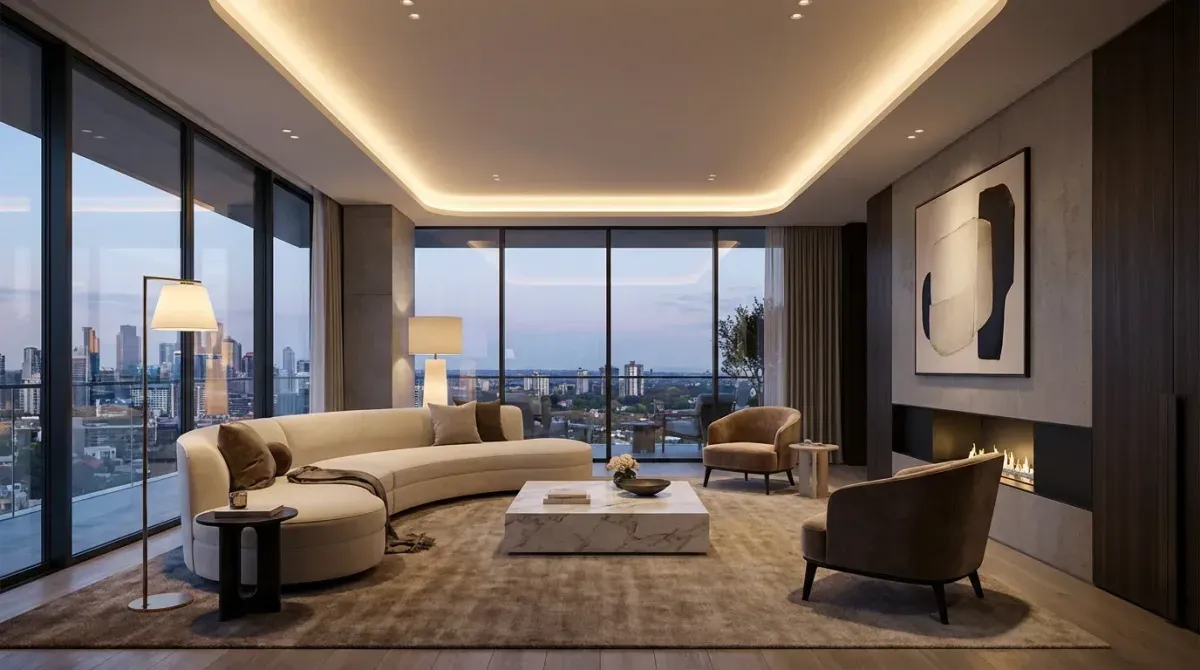
A client asks you to show them three different design directions for their living room by Friday. The old answer was: call your 3D rendering contact, wait three days, and spend $600 to $1,500 on concepts your client might reject in the first five minutes.
The new answer is: open RoomLift, upload a photo, pick three styles, and have presentation-ready renders before your next coffee.
AI rendering has changed what's possible for interior designers — and which tools you use determines how many projects you can take on, how much you charge, and how fast clients say yes.
What Rendering Software Does for Interior Designers
Visualization tools serve three distinct needs in the design workflow:
1. Client concept approval — Showing clients what a direction will look and feel like before any purchasing or installation decisions are made. Speed and photorealism matter most here.
2. E-design and remote work — Delivering a complete design package to a client you've never met in person. The renders are the product. Quality is non-negotiable.
3. Portfolio and marketing — Documenting completed or concept designs for your website, social media, and client proposals. 4K resolution and variety of outputs matters here.
Different tools serve these needs differently. Here's how they compare.
1. RoomLift — Best for Concept Visualization and E-Design
Price: From $29/month | Render time: 10–20 seconds | Quality: Up to 4K
RoomLift is the fastest path from a client's room photo to a polished concept render. The workflow takes three steps: upload a photo, select a design style, generate.
What makes it the top pick for interior designers:
- 4K Pro renders that are sharp enough for large-format presentations and printed e-design packages
- Multiple renders per session — generate 4–6 concept directions from one photo in minutes, then present the best two or three to the client
- 7 design styles: Scandinavian, Japandi, Industrial, Modern, Boho, Traditional, French Country — covers most residential briefs
- Video export from any render — useful for social content and presenting space flow to remote clients
- Exterior mode — handles garden, facade, and outdoor living space concepts, not just interiors
- Studio editor — fine-tune renders, add or remove elements, test variations without regenerating from scratch
The economics are compelling for working designers. A single client project that would have required $500 in outsourced 3D renders can now be handled in-house for $29/month — and the turnaround goes from three days to twenty seconds.
Where it falls short: Cannot guarantee specific furniture models or exact spatial measurements. For projects that require precise product specification, you'll still need traditional 3D modeling for the technical drawings.
Best for: Concept presentation, e-design packages, client approval rounds, portfolio renders, and any project where speed and quality both matter.
Generate 4K renders in 20 seconds for $29/month — start your RoomLift free trial
Stage your first room in 20 seconds. No design skills needed.
2. SketchUp + V-Ray — Best for Technical Precision
Price: SketchUp from $299/year; V-Ray from $350/year | Render time: 20 min – 3 hours | Quality: Unlimited
SketchUp is the industry standard for a reason: it gives you exact spatial control. You model the room to precise dimensions, place furniture with accurate proportions, and use V-Ray to render lighting that simulates real physics.
The results are the most technically accurate of anything on this list. The tradeoff is everything else: steep learning curve, significant software cost, long render times (complex scenes can take hours), and a workflow that requires real 3D modeling skill.
For designers working on commercial projects, renovations, or any space where precise specifications matter, SketchUp remains essential. For residential concept work, the time investment rarely justifies the cost.
Best for: Commercial interiors, renovation planning, construction documentation.
3. Enscape — Best Real-Time Rendering
Price: From $659/year | Render time: Real-time | Quality: High
Enscape connects to SketchUp, Revit, and Rhino to provide real-time ray-traced rendering. You move through the model in real-time, making design changes that render immediately — no waiting for render passes.
The experience is genuinely impressive for collaborative client sessions. Walk a client through a space in real-time, change the wall color or furniture while they watch, and see the effect instantly.
The barrier to entry is the cost and the requirement for an existing SketchUp or Revit workflow. Enscape is a rendering layer on top of technical modeling tools, not a standalone solution.
Best for: Designers who already use SketchUp or Revit and want real-time visualization for client sessions.
4. Lumion — Best for Architecture and Large Projects
Price: From $1,499/year | Render time: 5–30 minutes | Quality: Very high
Lumion produces some of the most cinematic interior and exterior renders available. It's widely used for architectural visualization: residential developments, hotel interiors, commercial spaces.
For a solo interior designer, the price is hard to justify — $1,499/year for a tool you'll use on a fraction of projects. For firms doing multiple high-value projects simultaneously, it earns its cost.
The output quality for large open-plan spaces and exterior scenes is excellent. Interior renders are strong but not dramatically better than what AI tools produce in a fraction of the time.
Best for: Architectural firms, high-value residential projects, exterior visualization.
5. Midjourney — Highest Creative Ceiling
Price: From $10/month | Render time: 30–60 seconds | Quality: Variable
Midjourney isn't interior design software. It's a general AI image generator that, with the right prompts, can produce interior render concepts that rival anything on this list.
The catch: you need to know how to prompt. A vague description produces unusable results. With detailed prompts specifying style, lighting, materials, mood, and composition, Midjourney can generate concepts that no purpose-built tool matches for creative exploration.
Most designers who use Midjourney use it for mood-boarding and early-stage concept exploration, then move to RoomLift or SketchUp once the direction is agreed with the client.
Best for: Advanced users, creative exploration, mood-boarding.
6. Homestyler — Free Option for Early Concepts
Price: Free (Pro from $9.99/month) | Render time: 2–5 minutes | Quality: Medium
Homestyler is a web-based room design tool with a free tier. The renders are acceptable for casual use and early client conversations. Furniture selection is broad. The interface is intuitive.
For professional client presentations, the output quality falls short of RoomLift or even Interior AI. But as a free tool for exploring layouts and generating rough concept images, it's worth keeping in the toolkit.
Best for: Early-stage client conversations, budget constraints.
Software Comparison: What Matters to Interior Designers
| Tool | Speed | Quality | Learning Curve | Monthly Cost | Best Use Case |
|---|---|---|---|---|---|
| RoomLift | 20 sec | 4K | Low | $29 | Concepts, e-design, client approvals |
| SketchUp + V-Ray | Hours | Unlimited | High | $55+ | Technical precision, construction docs |
| Enscape | Real-time | High | Medium | $55 | Collaborative client sessions |
| Lumion | Minutes | Very High | Medium | $125 | Large projects, architecture |
| Midjourney | 1 min | Variable | High | $10 | Mood-boarding, creative exploration |
| Homestyler | Minutes | Medium | Low | Free | Early concepts, rough layouts |
How to Choose Based on Your Practice
Solo residential designer doing e-design: RoomLift is the obvious choice. Speed, quality, and cost align perfectly with the volume of concept work you're producing. The 4K export and video generation add value to your deliverables without adding time.
Designer working with renovation contractors: You need SketchUp for technical drawings. Use RoomLift alongside it for client-facing concept visualization — it's much faster to win approval on a concept with a polished AI render than a wireframe model.
Large architecture or interior design firm: Lumion or Enscape makes sense at the project volume that justifies the cost. RoomLift still has a role for rapid concept ideation before committing to full 3D modeling.
Just starting out: Start with RoomLift's free trial. The barrier to entry is zero and the output quality is immediately useful for client work.
The Economics of Switching to AI Rendering
Let's say you're doing 5 client projects per month and outsourcing renders at $200 per project.
Current cost: $1,000/month in outsourced rendering Turnaround: 2–3 days per project
With RoomLift: $29/month, generates renders in 20 seconds
The saving is $971/month. The turnaround goes from days to seconds. You can generate 10 concept variations in the time it used to take to write an email to your 3D artist.
The quality threshold for client presentations has been met. The only thing that makes sense is to switch.
The Client Meeting That Changed the Game
One thing that's hard to explain until you experience it: presenting renders live in a client meeting.
With AI rendering, you can generate new concepts in real-time as the client gives feedback. They say "can we see it darker, more Japandi"? You change the style selection and have a new render in 20 seconds. That dynamic, live exploration is something traditional rendering simply cannot offer — and clients remember it.
Start your RoomLift free trial today. Use it for your next client concept round and see what changes.
Sources & References
- American Society of Interior Designers (2024). Interior Design Outlook and State of the Industry. ASID Research.
- Houzz (2024). Houzz Home Study: Emerging Design Trends. Houzz Research.
Ready to transform your listings?
Stage your first room in 20 seconds. No design skills needed.